
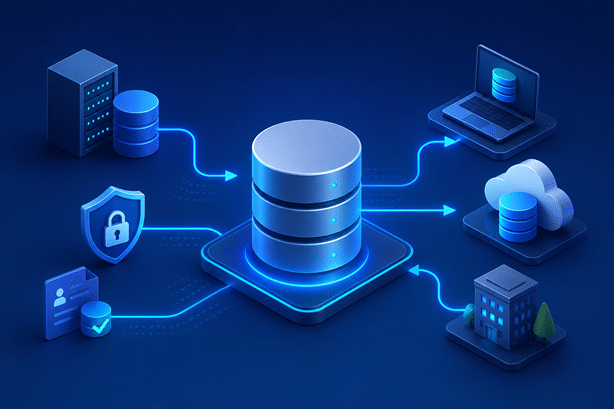
Development and testing teams need quick access to databases with the right structure, configuration, and data. Creating them manually can slow teams down, consume storage, and put sensitive production data at risk.
Database provisioning helps teams deliver the databases they need across development, testing, QA, and other non-production environments.
In this guide, we’ll cover how database provisioning works, common methods and challenges, and best practices for making it faster, safer, and more reliable.
What Is Database Provisioning?
Database provisioning is the process of creating, configuring, and delivering a database for a specific environment or use case. Teams might provision a full database copy, a smaller subset, a virtual clone, or a database with masked or synthetic data.
The goal is simple: give development, testing, QA, and other teams the right databases when they need them without unnecessary delays, costs, or security risks.
Database Provisioning vs. Database Deployment
Database provisioning creates and prepares a database for use, while database deployment applies changes, such as schema or configuration updates, as they move through development, testing, staging, and production.
Put simply, provisioning provides the database, while deployment manages the changes made to it.

How Does Database Provisioning Work?
Database provisioning usually starts when a team requests a database for a specific environment or task. From there, teams choose the right data source and provisioning method based on factors like security, storage, speed, and data needs.
A typical workflow looks like:
Request → Select Source → Prepare and Protect Data → Provision → Configure → Validate → Deliver
For example, a testing team might provision a copy or virtual clone of an existing database, mask sensitive data, configure it for the test environment, and validate it before use.
The exact process varies, but the goal is to give teams consistent, fit-for-purpose databases with less manual work and fewer delays.
Common Database Provisioning Methods
Organizations can provision databases in several ways depending on their data needs, infrastructure, security requirements, and how quickly teams need access.
1. Full Database Copies
A full database copy creates a complete replica of an existing database, often from production. It provides realistic data and structure but can take significant time and storage, especially when multiple teams need copies. Teams also need to protect sensitive production data before using it in non-production environments.
2. Database Subsetting
Database subsetting creates a smaller, representative copy of a database instead of duplicating the entire dataset. This reduces storage and speeds up provisioning while still providing useful test data. Teams need to preserve data relationships and include the scenarios required for effective testing.
3. Database Virtualization and Cloning
Database virtualization creates lightweight, production-like database copies without duplicating the full dataset for each environment. This reduces storage needs and speeds up provisioning and refreshes, especially when multiple teams need production-like databases.
4. Synthetic Data Provisioning
Synthetic data replaces real production records with artificially generated data. It helps teams avoid exposing sensitive information and create specific testing scenarios, but the data still needs to reflect realistic structures, relationships, and edge cases.
5. Masked Production Data
Teams can also provision production-derived databases after masking sensitive information. Data masking replaces values such as names, addresses, and account numbers while preserving the dataset’s structure and usefulness.
This gives teams realistic data for development and testing while reducing the security and compliance risks of using raw production data.

The Database Provisioning Process
Effective database provisioning involves more than creating a database. Teams need to define their needs, choose the right data, protect sensitive information, configure the environment, and validate the result.
A typical process includes these steps:
1. Define the Database Requirements
Identify what the team needs, including the target environment, database technology, schemas, data volume, configurations, and integrations. Defining these requirements early helps avoid provisioning databases that are larger or more complex than necessary.
2. Select the Right Data Source
Choose the data that best fits the use case, whether that’s a full production copy, subset, synthetic dataset, virtual clone, or existing non-production source. Consider realism, cost, performance, security, and provisioning speed.
3. Prepare and Protect the Data
Before using production data in non-production environments, identify and protect sensitive information through masking, subsetting, or other transformations. Preserve important formats and relationships so the data remains useful for development and testing.
4. Provision the Database
Create or deliver the database using the chosen method, such as restoring a backup, cloning a database, creating a virtual copy, or loading a subset. Automation can make repeat provisioning faster and more consistent.
5. Configure and Integrate the Environment
Configure permissions, connections, application settings, integrations, and other dependencies. Make sure the database aligns with the applications and infrastructure in the target environment.
6. Validate the Provisioned Database
Check the schema, data integrity, configurations, permissions, connections, and any masking or subsetting rules. Confirm that the database supports the development or testing scenarios it was created for.
7. Refresh and Maintain the Database
Refresh provisioned databases as production data, schemas, and testing needs change. Automating refreshes helps keep non-production databases current while consistently applying masking, configuration, and validation controls.
Common Database Provisioning Challenges
Database provisioning gets more complex as organizations manage larger datasets, more environments, and growing demand from development and testing teams.
1. Slow Provisioning Times
Full database copies, manual configuration, and approval processes can leave teams waiting hours or days for the databases they need, slowing development and testing.
2. Storage and Infrastructure Costs
Maintaining full database copies across multiple environments can consume significant resources. Subsetting and database virtualization can reduce storage needs and unnecessary duplication.
3. Sensitive Data Exposure
Copying production databases into non-production environments can expose PII, financial data, credentials, and other sensitive information. Teams need to build data protection into the provisioning process from the start.
4. Stale or Poor-Quality Test Data
Outdated or incomplete data may not support the scenarios teams need to test. Regular refreshes and fit-for-purpose data help keep provisioned databases useful and relevant.
5. Environment and Configuration Inconsistencies
A provisioned database may still cause problems if schemas, permissions, integrations, or configurations don’t match the target environment. Better environment visibility helps teams catch these issues earlier.
6. Limited Self-Service and Automation
Manual, ticket-based provisioning can create bottlenecks and increase reliance on specialized teams. Automation and controlled self-service help teams get databases faster while maintaining security and governance.
Database Provisioning Best Practices
A strong provisioning strategy helps teams get the databases they need quickly without sacrificing security, consistency, or control.
1. Match the Provisioning Method to the Use Case
Not every team needs a full production-sized database. Choose full copies, subsets, virtual clones, synthetic data, or masked production data based on the specific need to reduce storage, time, and complexity.
2. Automate Repeatable Provisioning Workflows
Automate routine tasks such as database creation, data preparation, configuration, validation, and delivery. Repeatable workflows reduce manual effort and create a more consistent provisioning process.
3. Protect Sensitive Data Before Non-Production Use
Identify and secure sensitive information before teams access production-derived data. Building data discovery and masking into provisioning workflows reduces exposure while keeping data useful for development and testing.
4. Use Fit-for-Purpose Test Data
More data doesn’t always mean better testing. Provision the data teams actually need, including relevant scenarios and edge cases. Subsetting and synthetic data can reduce dataset size without sacrificing usefulness.
5. Keep Databases and Environments Consistent
Align provisioned databases with the applications, configurations, integrations, and infrastructure in the target environment. Greater consistency reduces unexpected failures and improves testing reliability.
6. Enable Self-Service Database Provisioning
Allow authorized teams to provision databases without unnecessary manual delays while maintaining controls around access, security, approvals, and resource usage.
7. Automate Database Refreshes
Use repeatable refresh processes to keep non-production databases current as production systems and testing needs change. Apply the same masking, configuration, and validation controls with each refresh.
8. Maintain Visibility and Governance
Track who requested each database, its source, what data it contains, how it was protected, and where it’s used. Clear audit trails improve security, compliance, and control throughout the database lifecycle.
How Automation Improves Database Provisioning
Manual provisioning can lead to long wait times and inconsistent results, especially when teams regularly need new or refreshed databases.
Automated database provisioning creates a more consistent process by handling tasks like database creation, cloning, data masking, configuration, validation, and refreshes. Controlled self-service can also let teams request databases without relying on manual tickets.
Together, automation and self-service give teams faster access to the databases they need while maintaining security and governance.
Database Provisioning as Part of Test Data and Environment Management
Database provisioning is one part of a broader test data and environment management process. A database can be ready but still unusable if it has the wrong data, exposes sensitive information, or doesn’t match the target environment.
Test data management helps teams provide realistic, secure data, while data masking protects sensitive information and environment management keeps databases aligned with applications and dependencies.
Together, these practices help teams deliver the right database, with the right data, in the right environment, when they need it.
Building a Smarter Database Provisioning Strategy
Reliable database provisioning requires the right data, security, automation, and environment controls.
By bringing test data management, data masking, database virtualization, and environment management together, organizations can reduce manual work, protect sensitive data, and give teams faster access to the databases they need.
Ready to simplify database provisioning? See how Enov8 can help you deliver secure, production-like databases faster.
