

The Crucial Role of Runsheets in Disaster Recovery
March, 2024
by Jane Temov.
Jane Temov is an IT Environments Evangelist at Enov8, specializing in IT and Test Environment Management, Test Data Management, Data Security, Disaster Recovery, Release Management, Service Resilience, Configuration Management, DevOps, and Infrastructure/Cloud Migration. Jane is passionate about helping organizations optimize their IT environments for maximum efficiency.
Disaster recovery plans (DRPs) are pivotal for organizations to counteract the effects of unforeseen incidents and ensure business continuity. Within these plans, runsheets are vital, providing detailed procedures for executing recovery tasks efficiently.
Innovate with Enov8
A Platform of Insight
Managing your IT & Test Environments, Releases & Data.
This post highlights the importance of runsheets in DRPs, explores optimization strategies for DR Managers, and introduces the benefits of implementing Enov8 Runsheets Automation for improved operational efficiency.

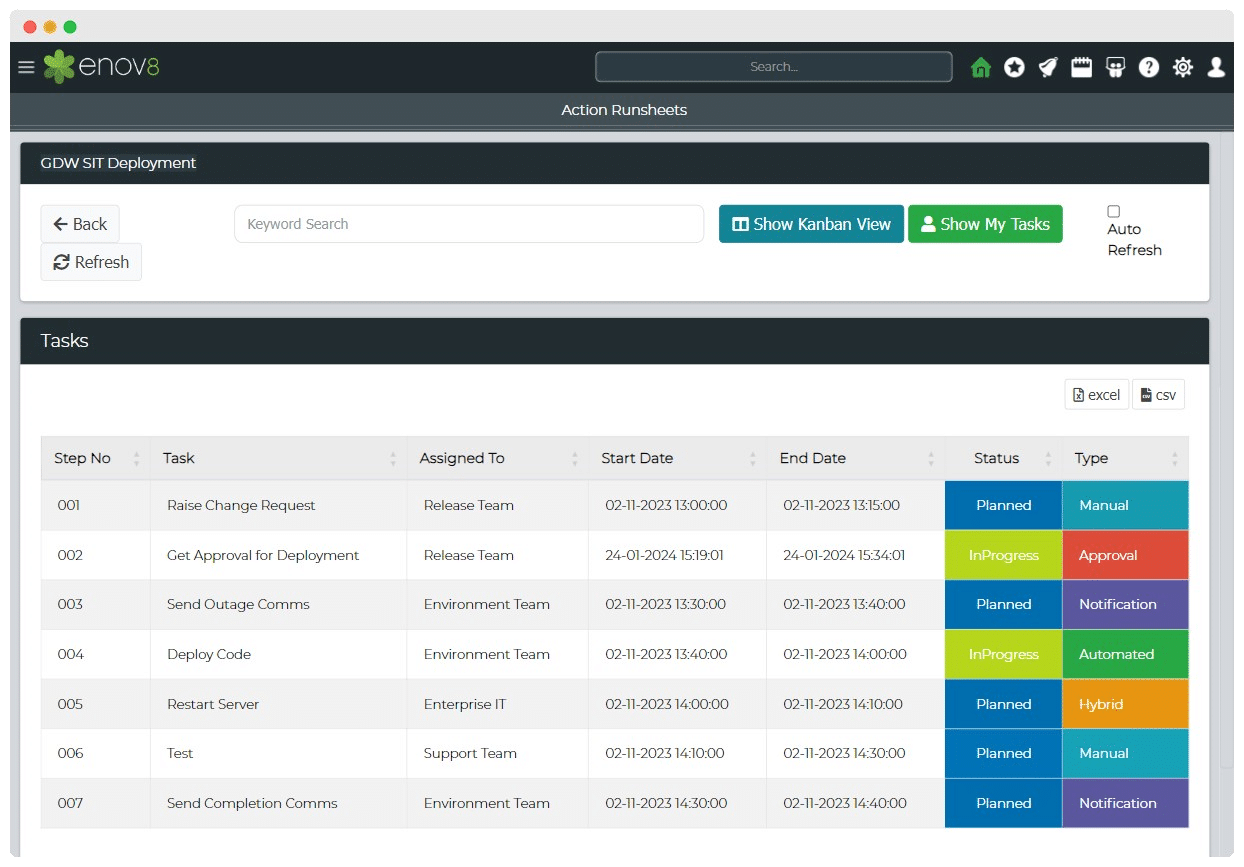
Enhancing DR with Enov8 Runsheets Automation
Enov8 Runsheets Automation streamlines IT teams’ operational processes, defining automation steps, integrating with DevOps tools, and offering real-time process visibility. This tool not only saves costs but also allows for continuous process improvement.
Implementing Enov8 Automation
- Runsheet Creation: Detail the operational steps necessary for recovery.
- Execution: Utilize Enov8’s automation to carry out steps efficiently, with real-time monitoring.
- Continuous Optimization: Regularly review and enhance runsheets for improved performance.
Conclusion
Incorporating runsheets into disaster recovery plans is crucial for a structured, effective approach to managing crises. By adopting best practices and leveraging tools like Enov8 Runsheets Automation, organizations can significantly enhance their preparedness, reduce downtime, and maintain business operations even in the face of disaster. The integration of clear, accessible runsheets and the strategic use of automation will fortify an organization’s disaster recovery efforts, ensuring resilience and continuity.
Relevant Articles

9 Planview Alternatives Compared: Features, Pros, and Cons
Planview is a popular enterprise project portfolio management (PPM) platform, but it isn't the right fit for every organization. Some teams need a simpler platform, lower costs, stronger Agile support, or better integrations with the tools they already use....

Vector Store Masking Software: Why It Matters for Enterprise AI
Artificial intelligence is helping organizations search, retrieve, and use information in entirely new ways. Technologies like retrieval-augmented generation (RAG), enterprise search, and AI assistants all rely on vector stores to quickly find the most relevant...

SAP HANA Data Masking: A Complete Guide
Using production data makes development and testing much more effective, but it also introduces a challenge: How do you give teams realistic data without exposing sensitive information? SAP HANA data masking solves that problem. In this guide, you'll learn what it is,...

Databricks Data Masking: Best Practices, Techniques, and Tools
Organizations use Databricks to build data pipelines, power analytics, and develop machine learning and AI solutions on a unified lakehouse platform. Much of the data stored in Delta Lake tables includes personally identifiable information (PII), financial records,...

Why Generate Everything? Generate Only What’s Missing
There's a quiet assumption baked into a lot of synthetic data strategies: if you need test data, you generate it. All of it, from scratch, every time. It feels like the modern, AI-powered answer to test data. But it's often the slow, expensive answer to a problem...

MongoDB Data Masking: Benefits, Challenges, and Best Practices
MongoDB powers many modern applications, from customer-facing platforms to analytics systems and cloud-native services. As organizations store increasing amounts of customer, employee, financial, and operational data within MongoDB, they must protect that information...