

Every test cycle starts with a simple assumption: the environment works. When it doesn’t, testers lose the morning chasing failed logins, unreachable databases and half-deployed services before anyone realizes the problem isn’t the code under test. Environment health checks exist to catch that early. The question is how to run them at scale without burning thousands of hours a year.
This post explains what environment synthetics are, why manual checks cost more than most teams think, where scripted automation falls short, and how a no code approach changes the economics.
What Are Environment Synthetics?
Environment synthetics are lightweight, automated checks that confirm an application and its supporting services are up and usable. They give teams high-level confidence that a system instance, such as a UAT home loan system, is ready for testing before people start work on it.
A good synthetic check works at two levels:
- The system level. Can a user complete a simple, representative transaction, such as logging in or retrieving a record?
- The component level. Are the services the system depends on, such as IIS, SQL Server, Oracle or LDAP, running and responding?
Synthetics don’t replace functional testing. They answer a narrower question: is this environment fit to test in right now?
Why Manual Health Checks Don’t Scale
In many organizations, environment health is still checked by hand. Someone logs in to each system every morning, clicks through a few screens and reports back. It feels cheap because nobody buys a tool for it, but the labor adds up quickly.
Take a medium to large enterprise as an example:
- 100 systems, each with 5 non-production instances, gives 500 instances to check.
- Each check takes about 15 minutes.
- At a blended rate of $100 an hour, that’s 0.25 hours × 500 × $100 = $12,500 a day.
- Over 240 business days, that’s about $3 million a year.
That figure excludes the bigger cost: the delays and outages that happen when a manual check is skipped, rushed or done after testers have already started. Manual checks also run once a day at best, so an environment that breaks at 10am may go unnoticed until the next morning.
The Traditional Fix: Scripted Test Automation
The usual answer is to automate the checks with a test automation framework. Using the same example:
- 500 scripts, one per instance.
- About 16 hours to build each script, including analysis, design, build and test.
- About 16 hours a year to maintain and run each script.
- Year 1 cost: 500 × 32 hours × $100 = $1.6 million.
- Year 2 onward: 500 × 16 hours × $100 = $800,000 a year.
Compared with manual checks, that saves about $1.4 million in year 1 and $2.2 million a year after that. It’s a real improvement, but it comes with trade-offs.
The Pitfalls of Scripted Automation
- Tool costs. Commercial test automation tools are often expensive to license.
- Specialist skills. Automation engineers usually cost more than manual testers and are harder to find.
- Ongoing maintenance. Every UI change, upgrade or configuration change can break a script, so the build-and-maintain cycle never really ends.
- Inconsistent results. Quality depends on the people writing the scripts, so coverage and reliability vary from team to team.
The core problem is that you’ve replaced manual checking with manual scripting. To do better, you need to remove the scripting step itself.
How No Code Synthetics Work
No code synthetics take a different approach. Instead of writing or recording a script for each instance, you describe each system and its components, and the platform generates and runs the checks for you.
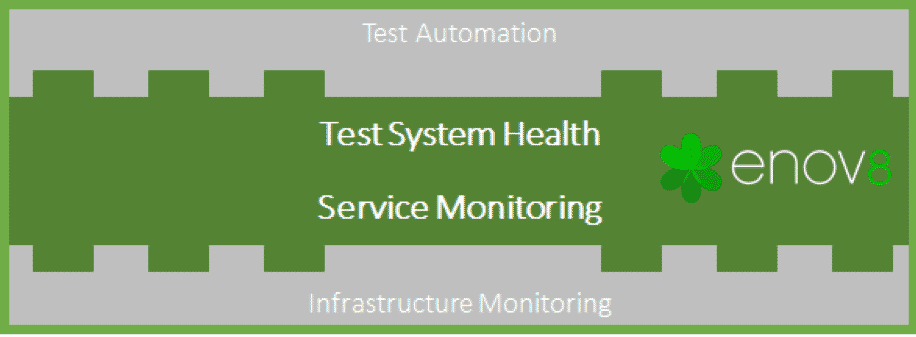
With Enov8’s no code synthetics, you can automatically, without scripting or record-and-playback:
- Check system health with “silver thread” transactions. A silver thread is a thin, representative path through a system that proves it works end to end, such as reaching the login page and authenticating a test user.
- Check the underlying component services. The platform tests the web servers, databases, directory services and other components each system depends on, so when a system fails you can see which part caused it.
Because checks are defined as configuration rather than code, they’re quick to set up, consistent across teams and easy to update when an environment changes.
Comparing the Costs
Using the same 500-instance example, with about 30 minutes to set up each check and 30 minutes a year to maintain it:
| Approach | Year 1 cost | Year 2+ cost | Annual saving vs manual (Year 2+) |
|---|---|---|---|
| Manual checks | $3,000,000 | $3,000,000 | – |
| Scripted automation | $1,600,000 | $800,000 | $2,200,000 |
| No code synthetics | $50,000 | $25,000 | $2,975,000 |
Even an organization that has already automated its health checks would save about $1.55 million in year 1 and $775,000 a year after that by moving to no code synthetics. Your numbers will differ, so it’s worth running them through an ROI calculator with your own system count and rates.
What to Monitor
A useful synthetic check covers more than whether the server is up. Consider including:
- Availability. Is the application reachable from where your testers work?
- Authentication. Can a test user log in?
- Key transactions. Does one simple business action complete?
- Dependencies. Are the database, message queues, directory services and integrations responding?
- Response time. Is the system fast enough to be usable for testing?
- Version. Is the expected build deployed?
Getting Started
You don’t need to cover every system on day one. A practical rollout looks like this:
- Start with the systems that cause the most pain. Pick the instances that most often block testing.
- Map their dependencies. Record the components each system relies on so failures can be traced quickly.
- Define a silver thread for each system. Keep it short and stable. It should prove the system works, not test every feature.
- Schedule the checks. Run them before the working day starts and at regular intervals during it.
- Share the results. Publish environment status on a dashboard so testers check it before raising defects.
- Expand gradually. Add more systems once the first set is reliable.
Conclusion
Environment health checks seem too small to matter until you add up the hours. Manual checks are slow and expensive, and scripted automation shifts the cost to building and maintaining scripts. No code synthetics remove most of that effort, give you near real-time visibility of environment health, and let testers start each day knowing their environments work.
No code synthetics are available to Enov8 Environment Manager customers. To learn more about IT and test environment management, talk to our team.

Niall Crawford
Niall is the Co-Founder and CIO of Enov8. He has 25 years of experience working across the IT industry in Software Engineering, Architecture, IT & Test Environment Management, and Executive Leadership. Niall has worked with and advised many global organisations covering verticals like Banking, Defence, Telecom, and Information Technology Services.